

...

How to Choose the Right Dual Frequency Card

Choosing a Dual Frequency Card starts with understanding the readers it must work with. These cards can support two frequency ranges, but that does not guarantee compatibility with every system. Check the reader’s frequency, communication standard, and supported card format before comparing products. A card that looks right on a product sheet may still fail at the door.

Think about where the card will be used. An office badge, an equipment tag, and a campus credential may have different needs. Consider read distance, memory, security features, printing options, and the card’s expected lifespan. For example, a thick card wallet, a metal surface, or a busy entryway can affect real-world performance. Small details matter.

Ask the supplier for technical specifications, supported standards, and sample cards for testing. Test with the actual readers and software, not only a bench setup. Confirm whether both frequencies are active and how the system handles each one. Also check whether the card can be encoded or customized as required. Keep the results in writing.

Avoid choosing by price or frequency labels alone. A lower-cost card may be suitable, but only when its specifications match the equipment and use case. Even experienced buyers can overlook an existing reader limitation. That is worth checking twice. The right choice is the one verified in your environment, with clear support available if compatibility issues arise.
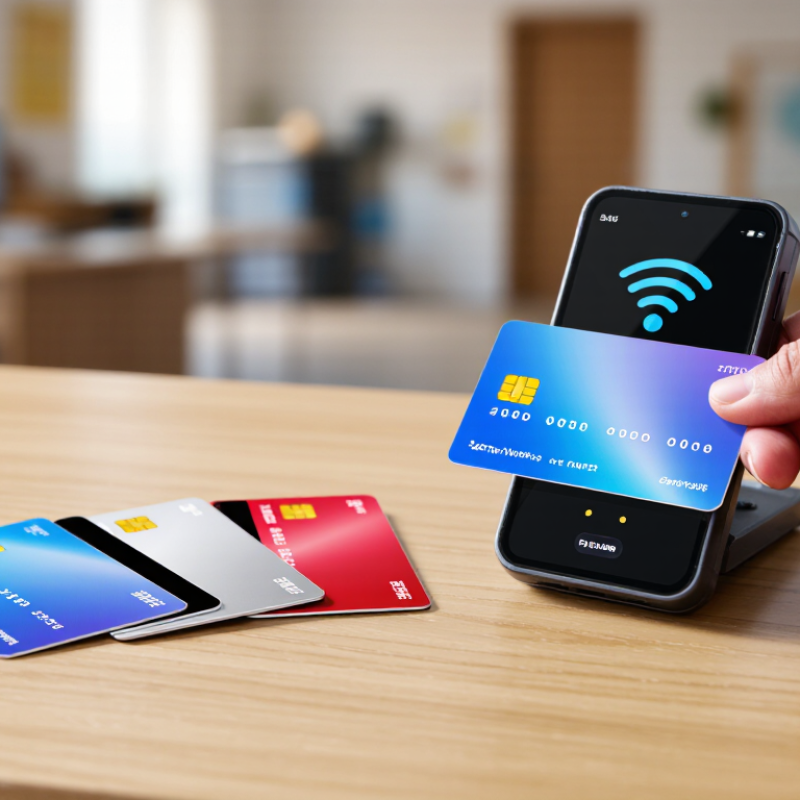
How to Choose the Right Dual Frequency Card

What a Dual Frequency Card Is

A dual frequency card carries two radio-frequency interfaces, commonly one at 125 kHz and another at 13.56 MHz. Each interface communicates with compatible readers; the card does not simply switch between frequencies like a radio dial. It may contain separate chips and antenna coils, or a design that combines components. Two radios. One card.

The lower-frequency interface is often used in established access systems, while 13.56 MHz supports technologies such as contactless identification and NFC-compatible communication. These are common patterns, not guarantees. Frequency alone does not confirm compatibility: protocols, data formats, encryption, and reader settings also matter. A card can look right and still fail at the door. I have seen that distinction overlooked during system upgrades.

The wider RFID market helps explain why multi-frequency products are considered. IDTechEx’s RFID Market 2024–2034 report forecasts market growth from about US$14.5 billion in 2024 to US$25.7 billion by 2034. That figure covers RFID applications broadly, not dual frequency cards alone. When assessing a card, check both frequency bands and the exact reader standards it supports. Then test it on the actual readers in use. Industry labels can be imprecise, and I would not rely on a product description without a compatibility sheet.

How Dual Frequency Cards Work

A dual frequency card carries two radio-frequency circuits, usually tuned to different readers. A common pairing is 125 kHz and 13.56 MHz. When a compatible reader creates a magnetic field, the matching coil receives energy and communicates with its chip. The other circuit generally stays inactive. The NFC Forum’s technical materials specify 13.56 MHz for NFC, while ISO 11784/11785 describes animal-identification systems at 134.2 kHz. These standards illustrate how different the frequencies can be; they do not mean every card supports both.

That distinction matters. A card does not translate one frequency into another. Each circuit must be designed for its own reader, antenna, and data protocol. In practical terms, a facilities team should test the card against every reader model and door type in use. A card may work at the lobby reader but fail at a side entrance.

Not magic.

Metal near a reader, a damaged antenna, or incompatible encoding can also affect performance. I would verify the actual frequency and protocol before ordering; product descriptions can be vague, and I have seen “dual frequency” used without enough detail. Ask for written specifications and a sample for testing. Some uncertainty remains until the card is checked in the real installation.

Which Frequencies and Standards to Compare

A dual-frequency card may combine 125 kHz and 13.56 MHz, but configurations vary. Check the card’s exact frequency pair before comparing prices. A low-frequency card may suit a nearby access reader, while 13.56 MHz cards often support contactless applications. Neither frequency guarantees compatibility. The reader and its supported protocol matter just as much.

Compare standards, not just the numbers printed on a product sheet. For 13.56 MHz, check whether the card supports ISO/IEC 14443 or ISO/IEC 15693; these standards serve different reading ranges and system designs. For UHF options, look for ISO/IEC 18000-63 or EPC Gen2 support, and confirm the operating band matches your region and reader. Test cards with the actual readers, especially if several systems must share one card. A specification can look complete and still leave out a crucial detail. That is easy to miss.

Tips: Ask for the chip types, frequencies, and supported standards in writing. Test a sample on every reader you plan to use. Record read distance and response consistency; small differences can matter in daily use.

How to Choose the Right Dual Frequency Card - Which Frequencies and Standards to Compare
Frequency / Card Option Relevant Standards or Protocols Typical Applications Typical Read Range What to Check for Compatibility
125 kHz LF Commonly proprietary low-frequency proximity formats; there is no single universal card protocol for all 125 kHz systems. Legacy access control and identification systems. Usually a few centimeters; actual range depends on the reader, antenna, and card. Confirm the exact card format, data encoding, and reader support. Matching frequency alone does not ensure compatibility.
134.2 kHz LF ISO 11784 and ISO 11785 define identification codes and technical concepts for radio-frequency identification of animals. Animal identification and related tracking systems. Varies by tag, reader, and antenna; often limited to close-range scanning. Check that the reader supports the relevant ISO mode and tag type. This frequency is not interchangeable with every 125 kHz access card.
13.56 MHz HF — ISO/IEC 14443 ISO/IEC 14443 Type A or Type B; these are distinct communication technologies within the proximity-card standard. Contactless credentials, payment applications, and other close-range systems. Typically a few centimeters; ISO/IEC 14443 systems are designed for proximity operation, with range dependent on the setup. Verify Type A or Type B support, card technology, application requirements, and whether the reader supports the required security features.
13.56 MHz HF — ISO/IEC 15693 ISO/IEC 15693, a vicinity-card standard operating at 13.56 MHz. Library, asset, inventory, and other applications that may benefit from a longer read range than proximity cards. Can exceed typical ISO/IEC 14443 ranges in suitable systems; actual performance varies substantially with reader and antenna design. Confirm ISO/IEC 15693 support on both the card and reader. A 13.56 MHz reader is not automatically compatible with every HF standard.
13.56 MHz HF — NFC NFC Forum specifications build on technologies including ISO/IEC 14443 and ISO/IEC 18092; supported modes depend on the device and application. Short-range interaction with compatible phones, readers, and NFC-enabled devices. Usually a few centimeters in practical use; orientation and device antenna design can affect performance. Check the required NFC mode, data format, and phone or reader support. NFC capability does not imply compatibility with every 13.56 MHz card.
Dual-frequency card (LF + HF) Typically combines one LF technology with one HF technology, such as a specific 125 kHz format plus an ISO/IEC 14443 or ISO/IEC 15693 technology. Sites that need to work with two different reader infrastructures or support a gradual system transition. Each frequency has its own read range; performance depends on the corresponding reader and antenna. Specify both frequencies and exact protocols. Confirm card format, encoding, security requirements, reader compatibility, and whether both functions can operate as required.

Selection tip: Compare the exact standards and data formats supported by your readers, not just the frequency. Read ranges are indicative rather than guaranteed and depend on card construction, reader power, antenna design, orientation, and the surrounding environment.

How to Match a Card to Your Intended Use

How to Choose the Right Dual Frequency Card

How to Match a Card to Your Intended Use

Start with the places and devices where the card must work. A dual frequency card may combine low-frequency and high-frequency technologies, but the exact frequencies and protocols vary. Check the reader specifications, not just the card label. A card that opens an older door reader may not support a newer desk terminal.

For a workplace with mixed readers, list each reader model and its supported technology. Ask the card supplier to confirm compatibility in writing, then test sample cards at every door and workstation. Test slowly. Metal frames, phone cases, and reader settings can affect results.

If the card is for building access and meal payments, confirm that both systems can use the same card identifier or assigned credentials. Two frequencies do not automatically mean two systems will communicate.

Consider daily handling, too. A card carried beside keys needs a durable surface and clear printing. For staff who use several readers in a shift, check read distance and placement; a small test at arm’s length can reveal awkward behavior. Think about access management and replacement procedures before ordering a large batch. Frequency alone does not determine security. Encryption, credential setup, and reader configuration matter. Specifications can still be confusing, so pause and verify the details rather than guessing.

How to Check Compatibility, Security, and Quality

A dual-frequency card is useful only when it works with your specific readers. Check the reader documentation or ask the system administrator which frequency pair, communication standard, and credential format are supported. A card may list two frequencies yet still fail if its data format does not match the system. Start with the reader. If possible, test one sample at every door or device you use. A quick tap at one reader is not enough; older units may behave differently.

Security deserves equal attention. Ask whether the card supports encrypted communication and whether credentials can be replaced if a card is lost. Avoid relying on frequency alone as proof of security. Keep card numbers and close-up photos private, since exposed details can create avoidable risks. Requirements vary by system, so confirm them with the responsible administrator rather than guessing.

Inspect quality in ordinary conditions. Look for clean printing, smooth edges, consistent thickness, and a card that sits flat in a wallet or holder. Flex it gently, but do not bend it hard. Ask about water resistance, expected service life, and replacement options. These details can be easy to overlook. A polished sample may not reflect every card in a batch, so check a few pieces before placing a larger order. My own checklist can still miss an unusual reader; that is why a real-world compatibility test matters more than a confident label.